|
Getting your Trinity Audio player ready...
|
Canvas LMS has become one of the most widely used learning management systems in schools and universities worldwide. The platform’s grading system helps students track their academic performance. Understanding how to calculate and predict grades can sometimes feel overwhelming.
Grade calculators, including the Canvas Grade Calculator, serve as essential tools that empower students to take control of their academic journey. They provide clear insights into current standings and future possibilities.

This comprehensive guide explores various grade calculator tools available to students. It includes Canvas’s built-in features to third-party platforms. Readers will discover tips for managing assignments, grading systems, and using calculators effectively. Whether someone uses Canvas, PowerSchool, or another platform, this guide covers the strategies needed to master grade tracking.
With the Canvas Grade Calculator, students can easily manage their grades and understand the impact of their current performance on their overall academic success.
What is a Canvas Grade Calculator?
A Canvas grade calculator is a digital tool that helps students compute their current grades & final scores. The purpose of these calculators is to provide transparency in the grading process. It allows learners to understand exactly where they are academically.
Canvas grade calculators help students track academic progress by automatically computing weighted averages. This feedback enables learners to identify areas needing improvement.
The benefits for Canvas LMS users are substantial. Students can plan their study time more effectively. They can prioritize assignments and reduce anxiety about their academic standing. Parents can also monitor their children’s progress and provide timely support.
Top Grade Calculator Tools for Students
Canvas Grade Calc Features
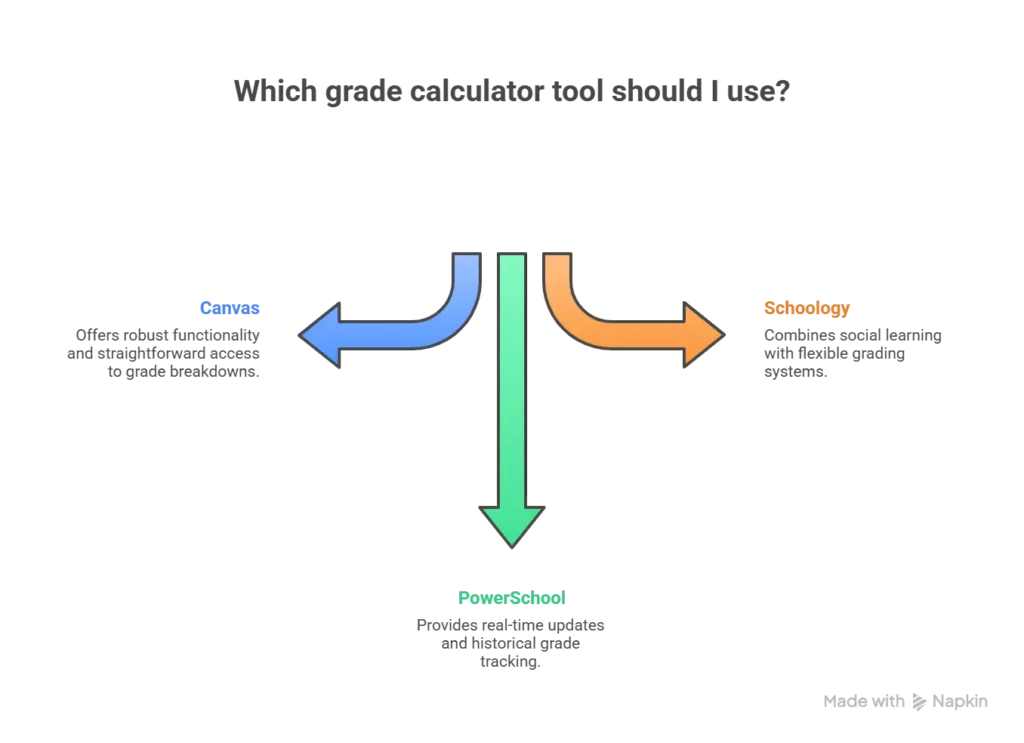
The built-in canvas grade calc system offers robust functionality for tracking academic performance. Canvas provides a comprehensive gradebook that displays assignments, scores, and weighted categories. Students can view their grades by course, assignment type, or grading period.
Accessing grade calculations in Canvas is straightforward. Students navigate to the “Grades” tab in their course menu and find breakdowns of all scored work. The platform calculates running totals based on the instructor’s established weighting system. This makes it easy to see how each assignment impacts the overall grade.
PowerSchool Grade Calculator Overview
The PowerSchool grade calculator represents another grading platform used by thousands of schools. PowerSchool’s grading system integrates student information, attendance, and academic performance into a portal.
Key features include real-time grade updates, historical grade tracking across multiple years. The PowerSchool grading calculator allows students to view current grades. It also allows grade trends over time, helping identify patterns in academic performance.
Schoology Grade Calculator Benefits
The Schoology grade calculator handles grade tracking through an intuitive interface. It combines social learning features with traditional gradebook functionality. Schoology’s approach emphasizes collaboration while maintaining robust grade calculation capabilities.
Compared to other LMS platforms, Schoology also offers unique advantages. It offers integration with Google Workspace, assignment submission tracking, and parent communication tools. The grading system supports standards-based grading, traditional percentage-based systems, and custom grading scales.
Alternative Grade Calculator Platforms
D2L Grade Calculator for Online Learning
The D2L grade calculator serves students using the Desire2Learn (Brightspace) platform. That is particularly popular in higher education and corporate training environments. D2L’s grading features include customizable grade schemes, rubric-based assessment, and competency tracking.
Best practices for D2L users include checking the “Grades” area. It helps in understanding how instructors weigh different assessment types. Using the platform’s prediction tools to estimate final grades for remaining assignments.
StudentVue Grade Calculator Access
The StudentVue grade calculator provides students with web access to their grades through the Synergy student information system. This platform is used in K-12 education and offers real-time access to attendance, assignments, and grades.
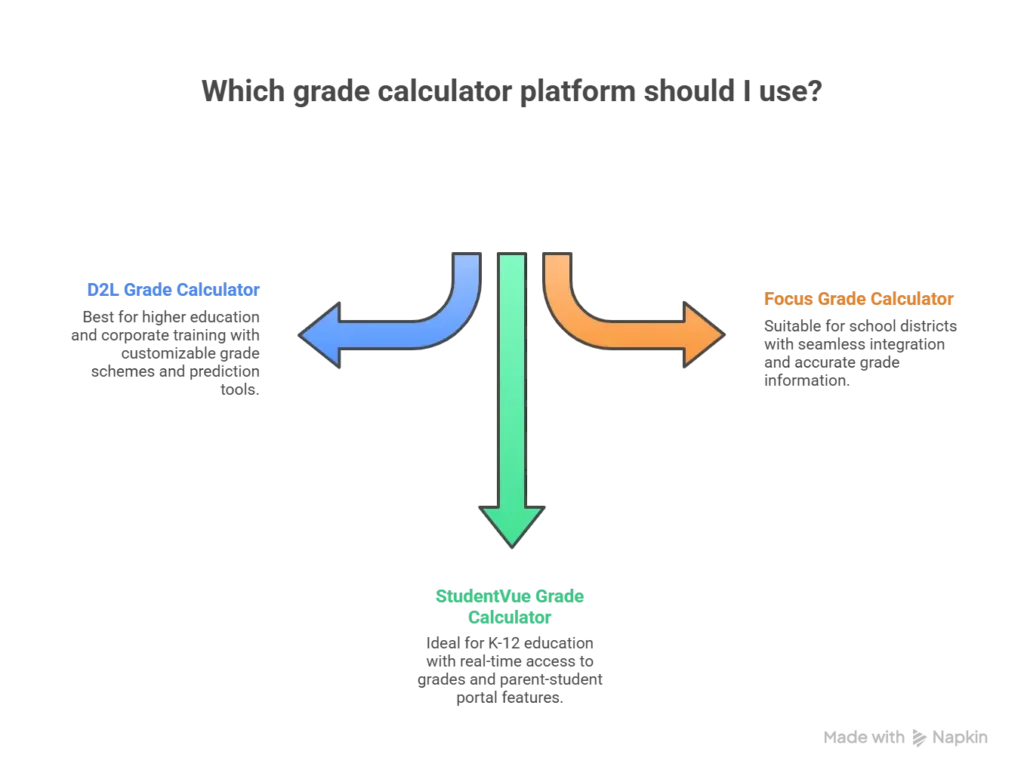
Using the grade calculator, StudentVue is simple. Students log in with their credentials and see current grades across all courses. Parent and student portal features include grade alerts, assignment date reminders, and messaging with teachers. It helps create a comprehensive academic management ecosystem.
Focus Grade Calculator Tools
The focus grade calculator operates within the Focus School Software system. It manages student information, grades, and scheduling for numerous school districts. Focus SIS integrates seamlessly with school databases. Ensuring that grade information is always current and accurate.
Integration capabilities mean that grades flow from teacher gradebooks into the student portal. It eliminates delays and reduces data entry errors. Students can trust that what they see in Focus reflects their actual academic standing.
Mobile Grade Calculator Solutions
Grading Calculator App Options
Mobile grading calculator app solutions have revolutionized how students monitor academic progress. The best apps for grade tracking offer features like offline access, push notifications, and GPA calculations.
When selecting calculator apps, students should look for intuitive interfaces, support for grading scales, the ability to track courses, and synchronization across devices. Security features protecting student data should also be a priority consideration.
8th Grade Calculator App Recommendations
The 8th-grade calculator includes age-appropriate tools designed specifically for middle school students. These applications often feature simplified interfaces, built-in study timers, and motivational elements.
Apps designed for middle school students avoid overwhelming younger learners with excessive complexity. They are still providing essential functionality for tracking assignments, and calculating grades.
Grade Calculators by Education Level
8th Grade Calculator Essentials
An 8th-grade calculator must accommodate the unique grading systems used in middle schools. They often include standards-based grading, traditional letter grades, or hybrid approaches. Eighth graders need calculators that can handle core subjects like math, science, and English.

Common calculations needed include quarter grade averages, semester scores, and final grades. Many middle schools also factor in homework completion, class participation, and project-based assessments. They require calculators capable of handling multiple weighted categories.
7th Grade Calculator Tools
A 7th-grade calculator serves similar purposes from elementary to middle school grading standards. Seventh-grade students are learning to take more responsibility for tracking their academic progress. Making user-friendly calculators is especially important.
Middle school grading standards emphasize mastery of foundational skills. They are preparing students for more rigorous high school coursework. Simplified calculation helps understand the relationship between assignment scores and overall grades without advanced maths knowledge.
Specialized Grade Calculator Features
Grade Calculator with Exam Weighting
A grade calculator allows students to account for the impact that midterms and finals often have on grades. Many courses weight final exams at 20-30% of the total grade. This makes it crucial to understand how exam performance affects outcomes.
Calculating weighted grades requires multiplying the average by its weight percentage. For example, if homework counts for 20%, tests for 50%, and the final exam for 30%, a student with respective averages of 95%, 85%, and 88% would calculate:
(95 × 0.20) + (85 × 0.50) + (88 × 0.30) = 19 + 42.5 + 26.4 = 87.9% overall.
Understanding final exam impact helps students determine what score they need on the final to achieve their desired grade.

PowerSchool Grading Calculator Advanced Tips
Advanced users of the PowerSchool grading calculator can leverage weighting features to model different grading scenarios. PowerSchool allows students to view historical grades across multiple marking periods. And calculate cumulative GPAs that factor in all coursework.
Tracking grading periods becomes especially important in schools using quarter systems. It’s where students need to understand how early grades affect final year-end outcomes. PowerSchool’s reporting features make this analysis accessible and actionable.
Understanding Grade Calculations
7th Grade Percentage Problems Solutions
Students working on 7th-grade percentage problems struggle with converting fractions to percentages. Calculating percentage increase or decrease, and understanding weighted averages. These skills are fundamental not for tracking grades but for real-world mathematical literacy.
Common percentage calculation challenges include determining what percentage one number represents of another. Calculating the percentage change between two values, and applying percentage discounts or increases. Step-by-step problem solving involves identifying the whole (denominator), the part (numerator), dividing the part by the whole, and multiplying by 100 to convert to percentage format.
Braddock Grade Calculator Specifics
The Braddock grade calculator refers to school grading tools used in institutions. These specialized systems often incorporate unique grading policies, local graduation requirements, and district-specific weighting schemes.

School-specific grading tools may include features like:
- Dual enrollment credit tracking
- Honors course weighting
- Alternative assessment methods
not found in generic calculators. Local system requirements might dictate particular calculation methods or reporting formats. Those students must understand to accurately interpret their grades.
How to Use Canvas Grade Calculator Effectively
Using a Canvas grade calculator effectively starts with understanding the course grading structure. Students should begin to identify total number of assignments and their respective weights.
Step-by-step guide:
- Log in to Canvas and navigate to the course “Grades” section
- Review the assignment categories and their weight percentages
- Check which assignments have been graded versus those still pending
- Use the “What-If” scores feature to predict how future assignments will impact the final grade
- Calculate the minimum scores needed on the remaining assignments to achieve the target grades
Tips for Accurate Tracking
It include checking grades regularly, ensuring all submitted assignments appear in the gradebook. Also includes contacting instructors immediately if scores seem incorrect or missing. Students should understand that instructor drops lowest scores or offers extra credit opportunities. Because these policies significantly affect grade calculations.
Common Mistakes to Avoid
It include forgetting that ungraded assignments may show as zeros temporarily. Miscalculating weighted averages by treating all assignments equally. And also failing to account for extra credit or dropped assignments when predicting final grades.

Comparing Different Grade Calculator Systems
When comparing Canvas vs PowerSchool vs Schoology, each platform offers advantages depending on institutional needs and user preferences. Canvas excels in user interface design and integration with third-party educational tools.
PowerSchool provides comprehensive student information system capabilities beyond just grading. Schoology emphasizes social learning and collaboration alongside traditional gradebook functions.
Pros and cons of each platform:
Canvas:
Pros: Intuitive interface, robust mobile app, excellent LMS integration
Cons: Limited historical data retention, dependent on instructor setup quality
PowerSchool:
Pros: Comprehensive SIS features, long-term data storage, strong reporting tools
Cons: Steeper learning curve, primarily focused on K-12 rather than higher education
Schoology:
Pros: Social learning features, Google Workspace integration, flexible grading options
Cons: Can feel cluttered with social features, less commonly used in higher education
Which Calculator Suits Your Needs
It depends on factors like your chosen platform, grade tracking or comprehensive student information management, and personal preferences regarding interface design and feature sets.
Tips for Managing Assignments in Canvas LMS
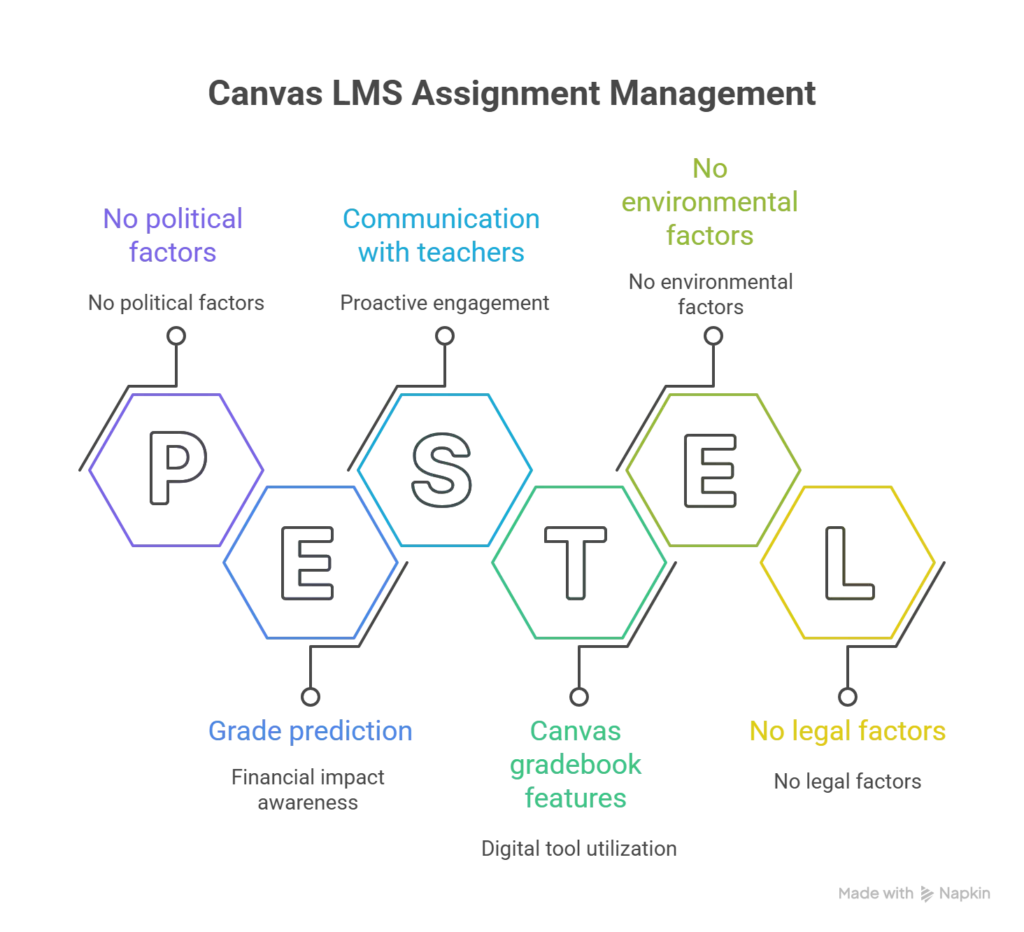
Effective assignment strategies begin with using built-in tools to categorize work by type, due date, or priority level. Students should check the Canvas calendar, which displays all upcoming deadlines across courses.
Using Canvas Gradebook Features
It means understanding how to interpret the various views available. The gradebook shows not scores but also assignment details, submission status, and feedback. Students can click on individual assignments to see comments, and detailed scoring breakdowns.
Setting up Grade Notifications
It ensures students never miss important updates. Canvas allows users to configure email or push notifications for new grades, comments, and upcoming due dates. Customizing these settings helps maintain awareness without creating notification overload.
Advanced Grade Calculation Techniques
Understanding the difference between weighted vs unweighted grades is crucial for grade prediction. Weighted systems assign different importance levels to assignment categories. While unweighted systems treat all assignments equally, regardless of type.
GPA calculations convert letter grades to numerical values on a standardized scale. Typically 4.0 for an A, 3.0 for a B, 2.0 for a C, and so forth. Weighted GPAs may award bonus points for honors or AP courses, with possible values exceeding 4.0. Calculating GPA involves converting course grade to point, multiply by credit hours, add up, and divide by total credit hours.
Predicting final grades requires current averages, assignments, and calculating possible outcomes. Many grade calculators include “what-if” tools that automate these predictions. They allows students to input scores and see immediate impacts on final grades.
Best Practices for Students Using Grade Calculators
Developing grade monitoring habits means checking grades at consistent intervals. This routine prevents surprises at semester’s end and enables timely intervention.
Setting academic goals becomes more effective with grade calculator insights. Students can establish specific and measurable targets. Calculators help quantify exactly what performance levels are needed to achieve these goals.
Communicating with teachers about grades should be approached professionally and proactively. When grade inconsistency appear, students should gather specific information before requesting clarification. Demonstrating that they track their grades shows teachers that students take academics seriously.
Conclusion
Mastering grade calculators using Canvas’s built-in tools, or the PowerSchool grade calculator. It empowers students to take control of their academic success. These digital tools transform grade tracking from a passive exercise into an active strategy.
Learning to use online grade calculation tools helps students succeed. Tools like the canvas grade calc system, d2l grade calculator, or grading calculator app make tracking grades simple. Students can use these tools to decide what to study first and set clear goals.
Different calculators work for different needs. 8th grade calculator tools are perfect for middle school students. More advanced systems include a grade calculator with exam weighting for older students. Finding the right calculator can really help improve grades.
Good students check their grades regularly. They learn their teacher’s grading rules. They predict what scores they need on future assignments. When they have questions, they talk to their teachers. Students who start using 7th grade calculator tools early learn important skills. These skills help them all through school.
Start using a grade calculator today. Check what tools your school offers. Turn on notifications so you know when new grades are posted. Make it a habit to check your grades every week. Students who track their progress do better in school.
FAQs
How do I use Canvas grade calculator?
First, log into your Canvas account. Click on the “Grades” tab in your course. You’ll see all your current scores there. Canvas automatically adds up your grade based on finished assignments. Your teacher sets how much each assignment counts. Want to see your future grade? Use the “What-If” scores feature. It shows how upcoming assignments will change your final grade.
What is the difference between Canvas and PowerSchool grade calculators?
Canvas is a learning system with grade tracking built in. It focuses on one course at a time. You can see assignments and grades for each class. PowerSchool is bigger. It tracks all your courses together. It also keeps your old grades, attendance, and class schedule. Canvas is great for managing one class. PowerSchool shows your whole school performance in one place.
Can I access grade calculators on my phone?
Yes! Most grade calculators work on phones. Canvas has free apps for iPhone and Android. PowerSchool offers the StudentVUE mobile app. Many other grading calculator app options are available too. With your phone, you can check grades anywhere. You’ll get notifications when teachers post new scores. You can also predict future grades on the go.
How accurate are online grade calculators?
Online grade calculators are very accurate when used correctly. Make sure you enter the right information. Use the correct percentages for how much each assignment counts. Enter all your scores carefully. Know your teacher’s grading rules. Built-in calculators like Canvas sync automatically with your teacher’s gradebook. This makes them super accurate. Third-party apps need you to type in scores yourself. Be careful when entering data to avoid mistakes.
What is the best grade calculator app for middle school students?
The best app depends on what your school uses. Does your school use PowerSchool? Then download the StudentVUE app. Does your school use Canvas? Get the Canvas Student app. Some schools use different systems. Apps like “Grade Calculator” or “My Study Life” work with any school system. These apps also help with study schedules and assignment reminders. The 8th grade calculator app category has many options made just for middle school students. Pick one that matches your school’s system.